#Files
files is a named registry of files. Every other surface that needs a file (the virtual floppy, the HTTP directory served during boot, a file provisioner) references entries from this list by name.
A file on its own does nothing. You must reference it from somewhere downstream:
#In the editor
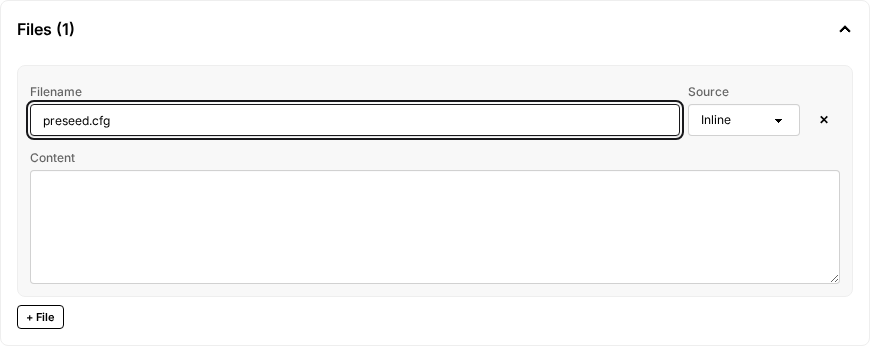
The Files section sits at the top of the editor, above Network and Virtual Machines. For each file, set:
- Filename: the name the file will have everywhere downstream (in the floppy, in HTTP URLs, in file destinations). Use full filenames with extensions, for example
preseed.cfg,Autounattend.xml,setup.ps1. - Source:
Inlineto paste contents into a textarea, orURLto fetch from a URL at build start.
To put a file on a VM's floppy or serve it over HTTP during install, open the VM's Source section and use the File Delivery matrix at the bottom: each file gets an HTTP and a Floppy checkbox. To push a file into the running VM after boot, see Provisioners: file.
#Reference
files:
    - name: hello.txt # name == filename downstream
      inline: |
          Hello, world!

    - name: setup.sh
      inline: |
          #!/bin/sh
          echo "running setup"

    - name: large-binary.exe
      url: 'https://example.com/large-binary.exe'

    - name: cert.pem
      inline: |
          -----BEGIN CERTIFICATE-----
          ...
          -----END CERTIFICATE-----
Two ways to provide content:
inline: the file content as a YAML string.url: fetched at build start. Good for binaries, drivers, and anything large.
The name is the filename wherever the file ends up. name: Autounattend.xml means the floppy disk has a file called Autounattend.xml and the HTTP directory serves it at /Autounattend.xml.
Downstream references:
http_directory.files[].namefor files served over HTTP at{{ .HTTPIP }}:{{ .HTTPPort }}.vms[].floppy.files[].namefor files placed on a virtual floppy attached to that VM.provisioners[].file.file_refto push the file into the running VM at a target path.
You can also load file content from a Kubernetes ConfigMap or Secret rather than inline/url. This path is reachable only by editing the YAML directly; see Provisioners: file for the syntax.